
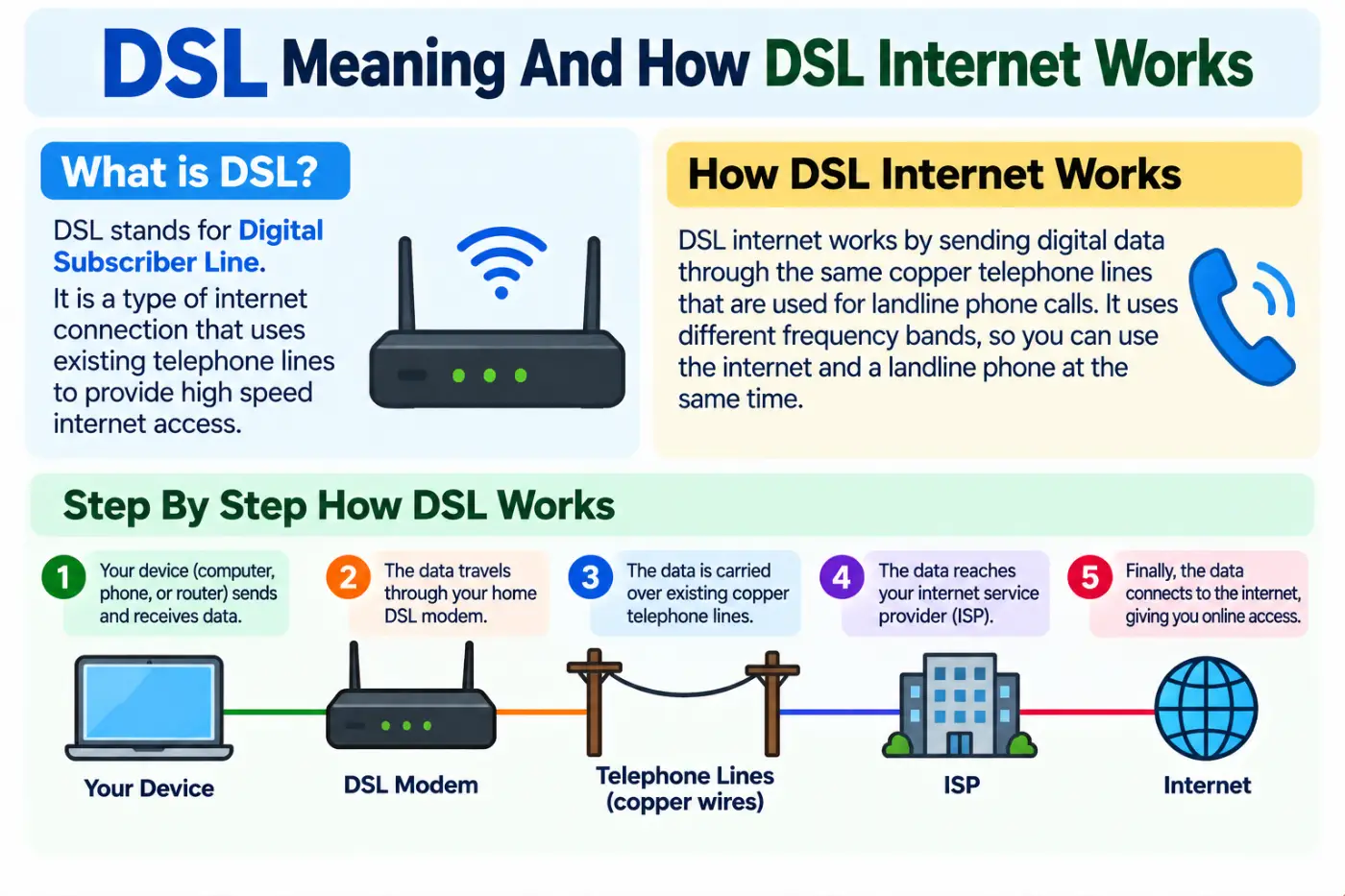
dsl meaning usually refers to Digital Subscriber Line, a family of technologies that delivers internet and other digital data over copper telephone lines. Unlike traditional dial up internet, DSL can provide an always on connection and can use the existing telephone wiring to carry data. The technology became an important form of broadband access because it allowed telephone networks to support internet connections without requiring a completely new physical line to every home.
The basic idea sounds simple. Your internet provider sends digital signals through a telephone line to equipment at your home or business. A modem or gateway interprets those signals and connects your local devices to the internet. Different DSL technologies can provide different upload and download characteristics. ADSL, for example, gives more bandwidth to downloads than uploads.
Understanding this technology helps you make sense of terms such as ADSL, VDSL, SDSL, DSL modem, DSLAM, download speed, upload speed, and broadband. It also explains why DSL performance can depend strongly on the condition and length of the copper line. This guide covers the meaning, technology, types, equipment, speed, advantages, limitations, security, troubleshooting, and the differences between DSL and newer internet technologies.
A related grammar guide is beginner wiring diagram Step by Step Easy Guide.
Quick Definition
DSL stands for Digital Subscriber Line. It is a family of broadband technologies that sends digital data over telephone copper lines. DSL can provide internet access while allowing traditional voice service to operate on the same physical line in supported configurations. Common forms include ADSL and VDSL, with different designs for download and upload performance.
Quick Answer
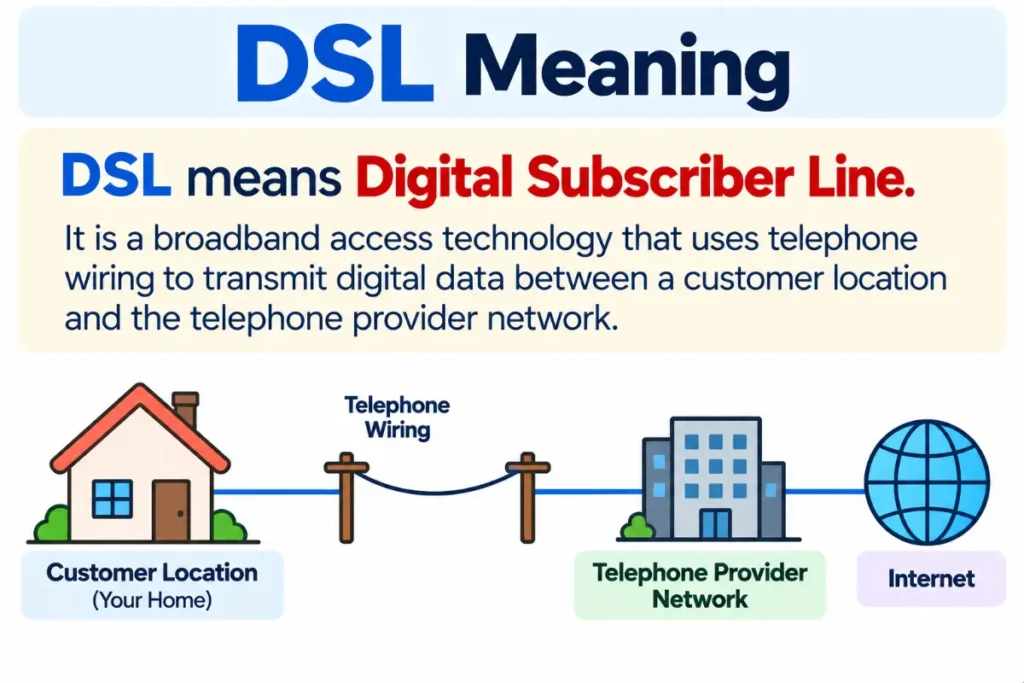
DSL means Digital Subscriber Line. It is a broadband access technology that uses telephone wiring to transmit digital data between a customer location and the telephone provider network.
The technology has several forms. ADSL provides more downstream capacity than upstream capacity, while symmetric DSL technologies are designed to provide more balanced upload and download capacity. The exact performance depends on the DSL type, network equipment, line conditions, and distance between the customer and the provider equipment.
What Does DSL Stand For
DSL stands for Digital Subscriber Line.
The name describes the basic concept.
Digital refers to the way information is transmitted.
Subscriber refers to the customer who receives the service.
Line refers to the physical connection between the customer and the telecommunications network.
In practical terms, DSL uses a subscriber telephone line as the path for digital data. The technology was designed to make greater use of existing copper telephone infrastructure rather than requiring a completely separate physical connection for internet access.
The Federal Communications Commission describes DSL as a technology that provides high speed connections over telephone lines and identifies several forms of the technology. The broader family is sometimes called xDSL because the first letter can represent a particular version of the technology.
That explains terms such as ADSL and VDSL. They are not completely separate ideas from DSL. They are different technologies within the larger DSL family.
How DSL Internet Works
DSL works by using electrical signals over copper telephone wiring.
A traditional telephone line was originally designed primarily for voice communication. DSL technology uses different parts of the available frequency range to transmit digital information. This allows data communication to operate over the same physical copper connection in systems designed to support simultaneous voice and data service.
At the customer location, a DSL modem or gateway receives the signal and converts it into a connection that computers, phones, televisions, and other devices can use.
At the provider side, equipment known as a DSLAM handles connections from many customers. DSLAM stands for Digital Subscriber Line Access Multiplexer. It collects DSL connections and connects them to the provider’s wider network.
The physical path can therefore be understood in a simple sequence.
- Your device sends data to the modem or gateway.
- The modem converts the information into signals suitable for the DSL connection.
- The signal travels through the copper telephone line.
- Provider equipment receives and processes the connection.
- The provider network carries the data toward the internet.
The process works in both directions. Data coming from the internet travels toward your home while data from your devices travels toward the provider network.
The important limitation is that copper telephone lines have physical characteristics that affect how well they carry high frequency data. Distance, line quality, interference, and network design can all affect performance.
DSL Modem And Router Explained
A DSL modem connects your local network to the DSL service.
The word modem comes from modulator and demodulator. In simple terms, the device translates information between the form used by your local network and the signal used by the communication line.
Many modern devices combine several functions in one box.
A gateway may contain the DSL modem, router, Wi Fi access point, and other networking features.
The modem handles the connection to the DSL line.
The router manages traffic between devices on your home network and the internet.
The Wi Fi function allows wireless devices to connect to the local network.
This distinction helps explain why replacing a router does not always improve the underlying DSL line. A better Wi Fi router can improve wireless coverage inside your home, but it cannot automatically turn a slow copper DSL connection into a fiber connection.
If the DSL line itself is the limiting factor, changing the Wi Fi equipment may have little effect on the internet speed received from the provider.
DSLAM And The Provider Network
A DSLAM is one of the most important pieces of equipment in a DSL network.
It sits on the provider side and manages multiple DSL customer connections. The device receives signals from individual subscriber lines and connects those lines to the provider’s network.
The distance between the customer and DSLAM can matter greatly. The FCC’s current broadband data guidance even uses distance from a DSLAM as part of its availability reporting requirements for certain DSL services.
This helps explain a common experience. Two homes may subscribe to the same general type of DSL service but receive different performance.
One home may be relatively close to the provider equipment.
Another may be farther away or connected through a line with more physical limitations.
The service name can look identical on the bill while the real connection quality differs.
Main Types Of DSL
DSL is a family rather than one single technology. Several forms have been developed for different needs.
ADSL
ADSL stands for Asymmetric Digital Subscriber Line.
The word asymmetric is the key.
It means the downstream and upstream capacities are not equal.
ADSL normally gives greater capacity to downloading than uploading. That design matched the needs of many residential users because ordinary internet activity historically involved more downloading than uploading.
For example, browsing websites, watching videos, downloading files, and receiving other online content generally place more demand on downstream capacity.
Uploading files, sending data, and other upstream activities use the other direction.
The FCC identifies ADSL as a DSL technology that provides greater bandwidth in one direction than the other.
SDSL
SDSL refers to Symmetric Digital Subscriber Line.
Symmetric means the design provides more balanced upstream and downstream bandwidth.
This can be useful for activities that require significant uploading as well as downloading.
Examples include certain business applications, file transfers, remote systems, and other tasks where sending large amounts of information matters.
The exact capabilities of a particular service depend on the implementation and provider. The term itself describes the intended balance between the two directions.
VDSL
VDSL stands for Very High Speed Digital Subscriber Line.
It is designed to provide higher performance than older DSL forms under suitable network conditions.
VDSL generally works best over relatively short copper distances. That relationship between speed and distance is a recurring theme across DSL technology.
A customer close to the provider equipment may receive much better performance than someone farther away on a similar service.
HDSL
HDSL stands for High Bit Rate Digital Subscriber Line.
It was developed for higher capacity digital communication over copper infrastructure and has been used in telecommunications and business networking applications.
It is part of the wider DSL family but is less familiar to ordinary home internet users than ADSL or VDSL.
xDSL
The term xDSL is a general label for the DSL family.
The x represents a variable technology type. Depending on the context, it can refer to ADSL, VDSL, SDSL, HDSL, and other related technologies.
This is useful terminology when discussing DSL as a group rather than a particular implementation. The FCC has used xDSL as a generic reference to the wider family of DSL technologies.
Download Speed And Upload Speed
Internet speed has two important directions.
Download speed describes how quickly information travels from the internet to your device.
Upload speed describes how quickly information travels from your device to the internet.
For example, streaming a video primarily involves receiving data. Uploading a large video file involves sending data.
ADSL gives greater bandwidth to downstream traffic than upstream traffic by design. Symmetric DSL technologies are designed around a more balanced relationship.
This difference matters because two services with similar download speeds can feel very different during upload heavy tasks.
Someone who mainly watches videos and browses websites may care more about download capacity.
Someone who regularly uploads large files, works with cloud systems, or sends high volumes of data may care much more about upstream performance.
Why Distance Matters
One of the most important ideas in DSL technology is the relationship between line length and performance.
DSL uses copper wiring. As the distance increases, the signal can become more difficult to maintain at higher frequencies.
That means a line that performs well over a short distance may perform less effectively over a longer distance.
The physical condition of the line also matters. Aging infrastructure, electrical interference, poor connections, and other issues can affect signal quality.
This is why DSL availability and performance cannot always be judged simply by asking if a neighborhood has DSL.
The actual connection to a particular location matters.
Modern broadband systems also use detailed network information to determine what technology and advertised speeds can be offered at specific locations. The FCC’s Broadband Data Collection system records technology types and advertised downstream and upstream speeds for broadband availability.
Advantages Of DSL
DSL became popular because it solved several practical problems.
Uses Existing Telephone Infrastructure
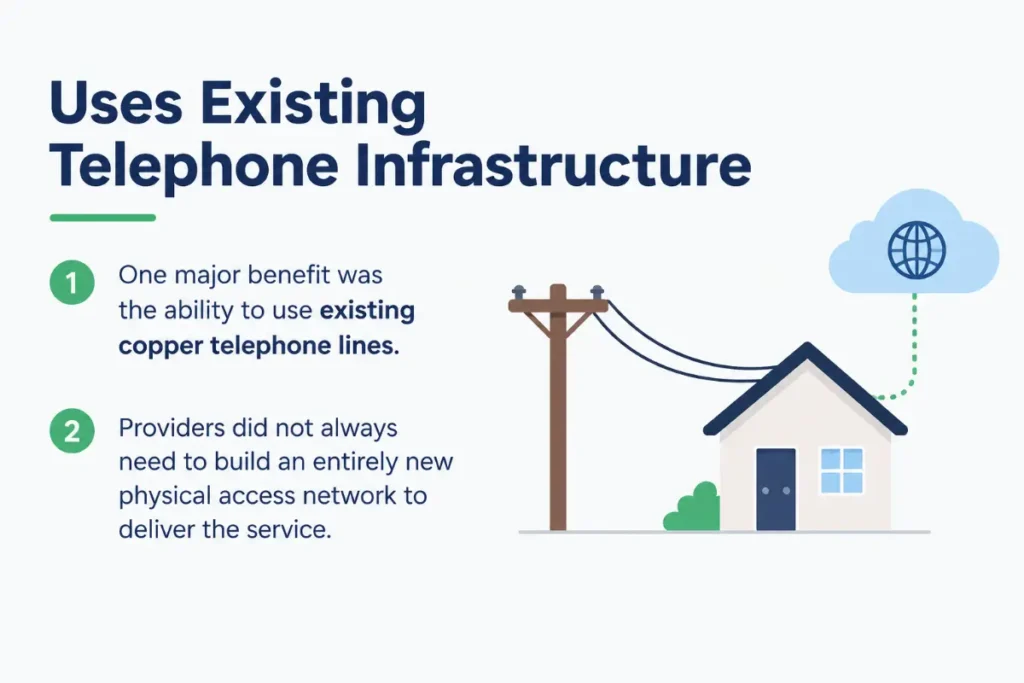
One major benefit was the ability to use existing copper telephone lines.
Providers did not always need to build an entirely new physical access network to deliver the service.
That made DSL especially useful in areas where telephone infrastructure already reached homes and businesses.
Always On Connection
DSL provided an always available internet connection rather than requiring the user to establish a traditional dial up call for every internet session.
That changed the everyday experience of using the internet.
Users could leave the connection active and access online services without tying up a conventional dial up session.
Simultaneous Voice And Data
Some DSL configurations support voice and data on the same physical line by using different frequency ranges.
This was one of the important practical benefits of the technology.
A household could use its telephone service while also maintaining internet access when the local network design and equipment supported that arrangement.
Wide Historical Availability
Telephone networks reached many locations long before modern fiber networks were built.
That gave DSL a major role in expanding broadband access in areas where newer infrastructure was not yet available.
Limitations Of DSL
DSL also has clear physical limitations.
Performance Depends On Line Conditions
A DSL connection is only as good as the physical path carrying the signal.
Distance and line quality can limit performance.
Copper Has Less Capacity Than Fiber
Fiber optic systems transmit information using light through optical fiber. Fiber can support much greater capacity than traditional copper based access technologies.
The FCC has noted that fiber to the home offers substantially more capacity than copper based technologies.
That does not mean every DSL connection is unusable. It means the technology has a lower ceiling than newer high capacity access systems.
Upload Performance Can Be Limited
Many residential DSL services use asymmetric designs.
That can make large uploads slower than downloads.
For modern activities such as cloud backups, large video uploads, remote work, and sending large datasets, upload performance can become an important limitation.
Speed Can Change With Distance
The same general service can perform differently at different locations.
A longer copper loop may support lower speeds than a shorter loop.
Aging Infrastructure Can Matter
If the physical telephone network is old or damaged, signal quality may suffer.
In such cases, the problem may not be the modem itself.
DSL Compared With Dial Up
DSL and dial up both use telephone related infrastructure, but they are very different technologies.
Dial up uses a modem to establish a telephone call over the public switched telephone network. The traditional approach occupies the telephone line during the internet session.
DSL was designed to provide a separate higher frequency data path over supported telephone wiring.
This allowed a more practical broadband experience.
The difference is not simply speed. The connection method itself is different.
DSL provides an always available broadband style connection, while traditional dial up establishes a temporary telephone connection.
That change was one of the major steps in the evolution from basic internet access to modern broadband.
For another common grammar confusion, see Shiny Vs Shiney Meaning Usage And Examples2026.
DSL Compared With Cable Internet
Cable internet uses coaxial cable or related cable network infrastructure.
DSL uses telephone copper lines.
The two technologies therefore depend on different physical networks.
Cable networks can often support higher speeds than older DSL systems, although actual performance depends on the provider’s network, technology generation, service plan, and local conditions.
DSL has historically had an advantage in areas where telephone lines reached locations that did not have cable broadband.
The practical choice depends on what infrastructure is available at the specific address.
DSL Compared With Fiber
Fiber uses optical fiber rather than traditional copper telephone wiring.
That difference is fundamental.
Fiber sends information using light. DSL sends digital data over copper based telephone lines.
Fiber can support much higher capacity and is better suited to very high speed internet services. The FCC has described fiber to the home as offering substantially more capacity than copper based technologies.
DSL can still be useful in places where fiber has not been deployed.
If both are available at the same location, the service characteristics should be compared directly. Look at download speed, upload speed, latency, reliability, pricing, data limits, and installation requirements rather than judging the service only by its name.
DSL And Broadband
DSL is historically one of the technologies used to provide broadband internet access.
Broadband is a broader category.
It describes high speed internet access rather than one particular physical technology.
The FCC’s broadband data systems distinguish among technologies such as DSL, cable, fiber, satellite, and fixed wireless.
So it is accurate to say that DSL can provide broadband access.
It is not accurate to treat broadband and DSL as exact synonyms.
Broadband is the larger category.
DSL is one technology that can deliver that type of access.
DSL Equipment You May Need
A basic DSL setup commonly includes a few important components.
DSL Modem
The modem connects to the telephone line and handles the DSL signal.
Router
The router manages network traffic between your local devices and the internet.
Wi Fi Access Point
Many modern gateways include Wi Fi. If the equipment does not include wireless functionality, a separate access point or router may provide it.
Filters And Splitters
Some DSL installations use filters or splitters to separate voice and DSL signals on telephone wiring.
The exact equipment depends on the DSL service and local provider setup.
Common DSL Problems
DSL connections can experience several common problems.
Slow Speed
Slow speed may result from service limitations, line length, congestion, equipment problems, or physical line conditions.
The first step is to determine if the problem affects only Wi Fi or the entire internet connection.
Testing with a wired connection can help separate wireless problems from DSL line problems.
Frequent Disconnections
Frequent drops can indicate signal quality issues, equipment problems, wiring problems, or provider network issues.
Restarting the modem can sometimes restore service temporarily, but repeated disconnections may require line testing.
High Latency
Latency describes the time required for data to travel between points.
High latency can affect online gaming, video calls, remote desktop sessions, and other interactive activities.
A speed test can show useful information, but latency should be considered separately from download speed.
Weak Wi Fi
A DSL connection can be working perfectly while Wi Fi performs poorly.
Walls, distance, interference, router placement, and wireless equipment can all affect Wi Fi.
This distinction is important because replacing the router may improve Wi Fi without changing the underlying DSL speed.
How To Troubleshoot A DSL Connection
When the connection stops working, start with simple checks.
- Check the modem lights. Look for unusual changes in the DSL or internet indicators.
- Restart the modem and router if your provider recommends this step.
- Check the telephone cable and connectors.
- Test another device to see if the issue affects the whole network.
- Test using an Ethernet cable if possible.
- Run a speed and latency test.
- Compare the results with your service plan.
- Contact the provider if the DSL signal repeatedly drops or fails to synchronize.
The key is to identify the location of the problem before replacing equipment.
If wired internet works normally but Wi Fi is slow, the DSL connection may not be the problem.
If every device loses internet access and the DSL signal repeatedly drops, the issue may be closer to the line or provider network.
Security And DSL
DSL itself does not make a home network secure or insecure.
Security depends on the equipment, network configuration, software, and user practices.
A modern router should use strong wireless security and a strong administrative password.
Keep the router firmware updated when updates are available.
Avoid using simple passwords.
Disable unnecessary remote administration features.
Use the security options recommended by the equipment manufacturer and internet provider.
The DSL connection is simply the access path. Your router and connected devices still need their own security protections.
DSL In Modern Internet Networks
DSL remains an important part of telecommunications history and continues to appear in broadband infrastructure data.
The technology’s role has changed as fiber, cable, fixed wireless, and other access technologies have expanded.
The FCC’s broadband mapping systems still identify DSL as a distinct fixed broadband technology alongside fiber, cable, satellite, and fixed wireless.
That does not mean every DSL connection provides the same experience. The technology label alone cannot tell you the exact speed available at a particular address.
Location remains important.
The provider’s equipment, copper loop length, service configuration, and advertised speed all matter.
Related Terms You Should Know
ADSL
Asymmetric Digital Subscriber Line. It generally provides more downstream capacity than upstream capacity.
VDSL
Very High Speed Digital Subscriber Line. It is designed for higher speed DSL service under suitable network conditions.
SDSL
Symmetric Digital Subscriber Line. It is designed around more balanced upstream and downstream bandwidth.
DSLAM
Digital Subscriber Line Access Multiplexer. It is provider equipment that manages multiple DSL connections.
Copper Loop
The physical copper telephone connection between the customer and the telecommunications network.
Downstream
Data traveling from the provider network toward the customer.
Upstream
Data traveling from the customer toward the provider network.
Broadband
A broad category of higher speed internet access technologies that includes DSL along with several other technologies.
Is DSL Good Enough For Your Needs
The answer depends on what you do online.
For basic browsing, email, messaging, and some video streaming, a stable DSL connection can be perfectly usable at an appropriate speed.
For multiple high resolution video streams, large cloud backups, heavy file transfers, competitive gaming, or frequent video uploads, the limitations of older DSL services may become more noticeable.
The important thing is to look beyond the technology name.
Check the actual advertised download speed.
Check the actual advertised upload speed.
The FCC National Broadband Map provides location based information about available internet technologies and advertised speeds in the United States. The map shows reported availability rather than guaranteeing real world performance at every moment.
Expert Editor Insight
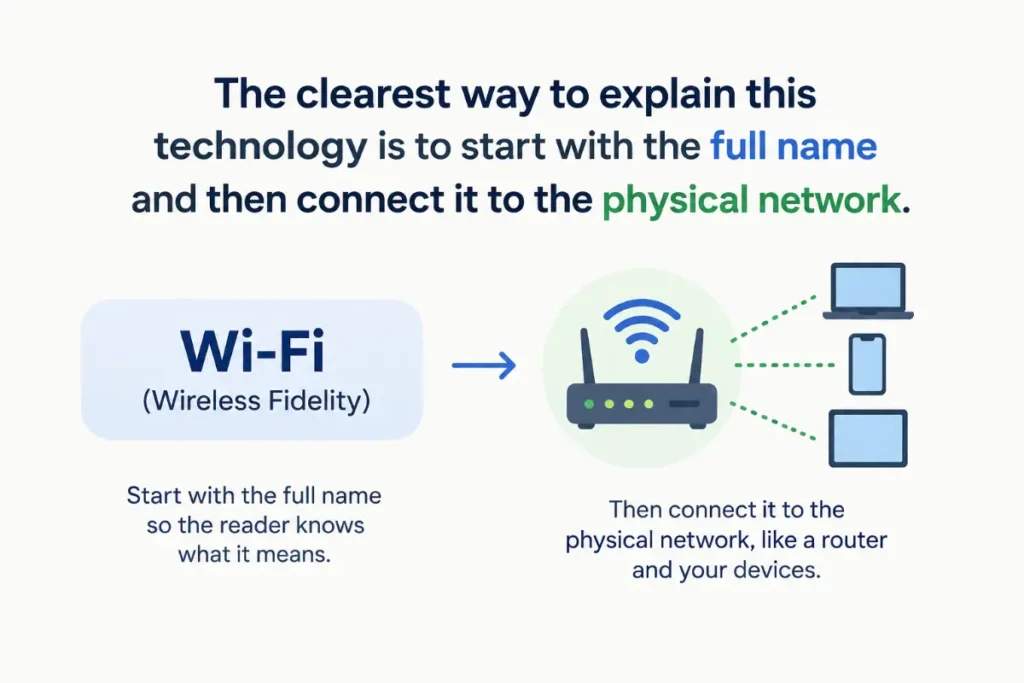
The clearest way to explain this technology is to start with the full name and then connect it to the physical network. DSL means Digital Subscriber Line, but that phrase becomes much more useful once you understand that the service sends digital information over telephone copper wiring. A good technical explanation should also distinguish DSL from broadband because broadband describes a broader category. It should distinguish ADSL from the wider DSL family and explain why distance and line quality matter. Those distinctions prevent common misunderstandings without burying the reader in unnecessary technical language.
Learn the difference in pmg meaning Explained Clearly With Common Uses.
Conclusion
dsl meaning is straightforward once you connect the acronym to the technology behind it. It stands for Digital Subscriber Line and describes a family of technologies that deliver digital data over telephone copper lines. ADSL, VDSL, SDSL, and other related technologies fall within this broader family, with different approaches to speed and upload capacity.
The biggest practical factors are the type of DSL service, the distance to provider equipment, the condition of the copper line, and the advertised upstream and downstream speeds. DSL can still provide useful internet access, but fiber and other newer technologies can offer much greater capacity.
If you need to understand a DSL plan, do not focus only on the name. Check the actual download speed, upload speed, latency, reliability, and available alternatives at your location. That gives you a much clearer picture of what the connection can really handle.
FAQs
What does DSL stand for?
DSL stands for Digital Subscriber Line. It is a family of technologies designed to provide digital data connections over telephone lines. DSL became an important broadband technology because it could use existing copper telephone infrastructure for internet access. Common forms include ADSL, SDSL, and VDSL, each designed with different performance characteristics.
What is DSL internet?
DSL internet is internet service delivered using Digital Subscriber Line technology. The connection uses telephone copper wiring to carry digital data between the customer and the provider network. A DSL modem or gateway handles the connection at the customer location, while provider equipment such as a DSLAM manages multiple subscriber connections. Performance depends on the technology and line conditions.
Is DSL the same as Wi Fi?
No. DSL and Wi Fi describe different parts of a network. DSL is the technology used to connect your home or business to the internet provider. Wi Fi is a wireless networking method that connects devices inside your local network. A DSL gateway may provide both functions, which can make them seem like the same thing, but they serve different purposes.
Is DSL the same as broadband?
DSL is one type of broadband access technology. Broadband is the broader category, while DSL identifies a particular method of delivering internet access. Other broadband technologies include fiber, cable, satellite, and fixed wireless. The FCC treats DSL as a distinct technology in its broadband availability data.
What is the difference between ADSL and DSL?
DSL is the broader family of Digital Subscriber Line technologies. ADSL means Asymmetric Digital Subscriber Line and is one specific type within that family. ADSL gives greater bandwidth to downstream traffic than upstream traffic. Therefore, ADSL is a form of DSL, but DSL can refer to several other technologies as well.
Does DSL use a telephone line?
Yes. Traditional DSL technology uses copper telephone wiring as the physical transmission path. The technology can use different frequency ranges so supported DSL configurations can carry digital data alongside traditional voice service. The exact arrangement depends on the network design and service. This ability to use existing telephone infrastructure was one of DSL’s major historical advantages.
Is DSL faster than dial up?
Yes. DSL was designed to provide broadband style access rather than traditional dial up internet. Dial up establishes an internet connection through a telephone call, while DSL provides a separate data connection over supported telephone wiring. DSL also allows an always available connection rather than requiring the user to establish a new dial up session for ordinary internet access.
Why does DSL speed depend on distance?
DSL sends digital signals through copper wiring, and signal characteristics change as the distance increases. Longer copper loops can make high frequency transmission more difficult. That can reduce the performance available to a customer. The provider’s network equipment and the condition of the line also matter. This is why two locations using the same general DSL technology can receive different speeds.